

Recommended Discounts

PUBG Mobile UC (Global)
Official Midasbuy Partner. Get 30% OFF UC Top Up. Not for Japanese / Korean / Taiwan / Vietnam servers. Fast, secure, and the lowest price guaranteed.
45.43% OFF
Related articles


PUBG Mobile Account Recovery: 14-Day Guide to Reclaim Hacked Accounts
Imagine firing up PUBG Mobile for a squad wipe, only to find your account locked—due to unauthorized logins, unfamiliar devices, or surprise purchases. Frustrating? PUBG's in-app Account Recovery tool has you covered. Submit your Player UID, device info, character name, and email after captcha v...
Buffget
Picture this: you fire up PUBG Mobile, ready for a squad wipe, but bam—your account's locked out. Unauthorized logins, weird devices popping up, or surprise purchases that weren't you. Frustrating, right? Don't sweat it. PUBG's in-app Account Recovery tool has your back. Punch in your Player UID, device info, character name, and email after that captcha grind. Expect a ~14-day review, then email with next steps. Once you're in, lock it down with 2FA, fresh passwords, and login checks.
What Exactly is PUBG Mobile's Account Recovery Feature?
Head to the Customer Service Center in-app, hit Third-Party Platform Login Issue, then Account Recovery. The form wants your hack story, device brand and model, email, character name—captcha first, of course. Reviews average ~14 days; you'll get an email with reset instructions. Heads up: any old linked logins get nuked post-recovery.
Quick path there:
- Tap the help icon, top-left in the app.
- Pick Third-Party Platform Login Issue.
- Scroll down to Account Recovery.
You need spot-on details: Player UID, exact device like Samsung Galaxy S23, and your character name. Miss that? Good luck.
Spotting a Hacked PUBG Mobile Account—Red Flags You Can't Ignore
Can't log in with your usual creds? Unknown devices or locations in your history? Purchases or settings tweaks you didn't touch? That's hack central.
Real-world culprits: Shady links or malware from third-party apps snag your login deets. Bans can fake it too, blocking access like a pro thief.
Check it out:
- Dive into login history—hunt unknown devices or spots.
- Scrub purchases and settings for changes.
- Hit forgot password, just in case.
Hacks vs. bans? Arm yourself with receipts, usernames, device IDs to prove your case.
Recovered and itching to top up UC without the hassle? Buffget's cheap PUBG UC nails global low prices, instant drops, and pays like credit cards, Binance Pay, USDT—plus killer user reviews and solid support.
Your No-BS Step-by-Step to Fire Up Account Recovery
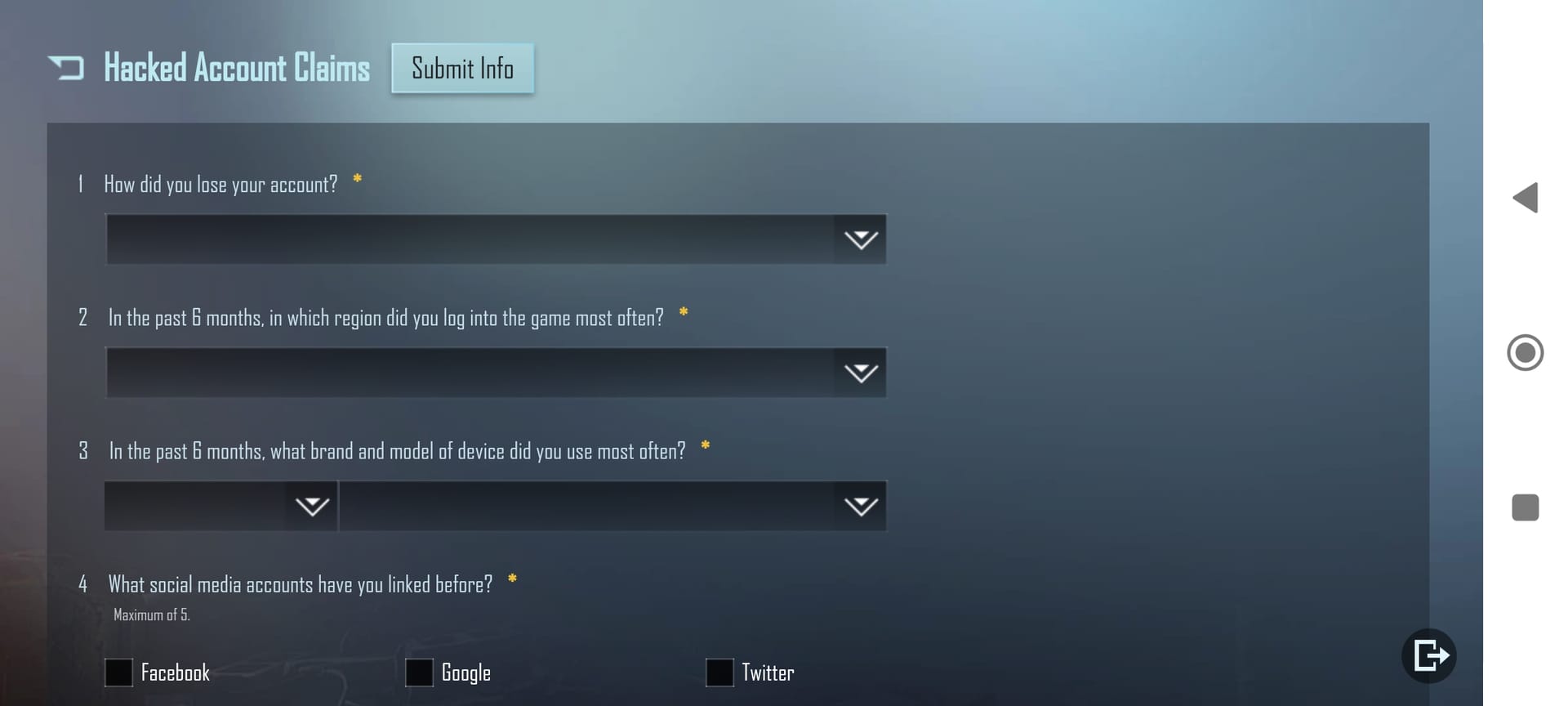
Start in the app's Customer Service Center. ~14-day wait, but worth it.
Do this:
- Launch PUBG Mobile, smack that top-left help icon.
- Go Third-Party Platform Login Issue.
- Tap Account Recovery, agree to terms, Next.
- Drop your Player UID.
- Crack the captcha, then spill: hack reason, device brand/model, email, character name.
- Submit and chill for ~14 days—email incoming.
- Follow those instructions: reset password, verify.
Gear up first: Grab your Player UID, device deets (Samsung Galaxy S23 vibes), character like ProGamerX, linked email. Toss in receipts or device IDs. Guest account? Bind it to social media ASAP.
Tools and Prep You Actually Need
Rock the latest PUBG Mobile app. Update your device OS and security patches—no excuses.
Pro tip (editor's take): Link your phone for 2FA; craft passwords blending letters, numbers, symbols—ditch birthdays or your dog's name.
Lock and load:
- Update app and OS.
- Jot device model and character name.
- Confirm email access.
Regularly peek at those social links. Keeps things tight.
Post-recovery top-ups made easy? Buffget's recharge PUBG Mobile global beams UC instantly—ETH, USDC, KuCoin Pay, all compliant and secure, with top support scores.
Pitfalls That'll Tank Your Recovery—Steer Clear
Half-assed forms or bum emails? Kiss success goodbye. Skipping captcha? Instant reject.
Dodge these:
- Triple-check Player UID.
- Full device brand/model, character name—no shortcuts.
- Right email, every time.
Back it with receipts, usernames, device IDs.
Account Recovery vs. Other Fixes—A Quick Showdown
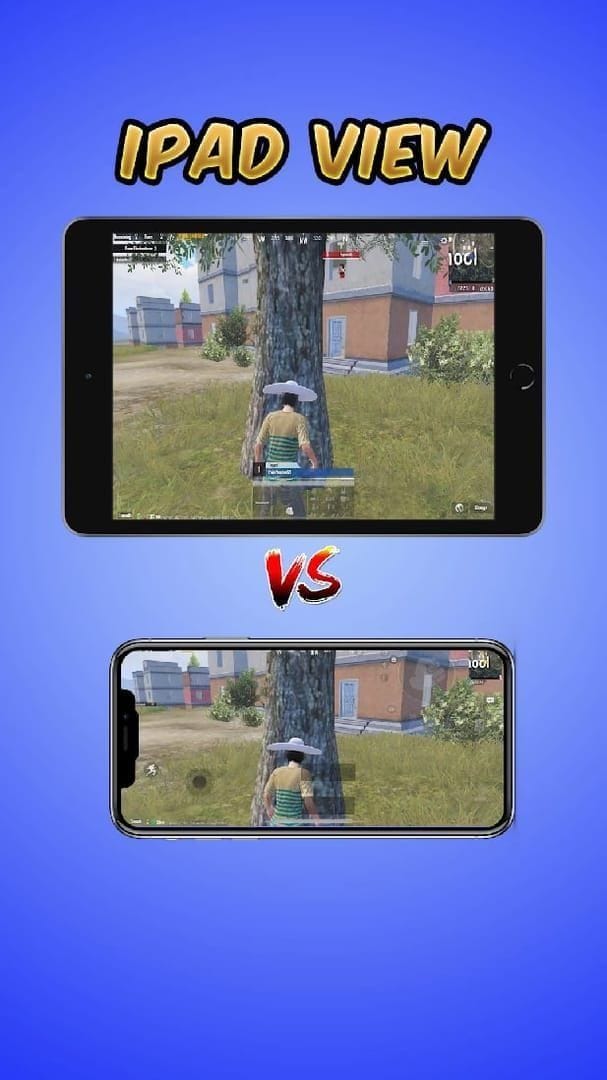
Based on player reports and support data:
- Account Recovery: In-app magic, ~14 days, UID-locked.
- Forgot Password: Fast reset, but flops on deep hacks.
- General Support: Wider net for bans—hit 'em with IDs and receipts.
Bans? Customer Service appeal, evidence heavy, then 2FA.
Lock It Down Post-Recovery—Don't Get Hacked Twice
Old links? Disabled. Link your mobile for 2FA now.
Secure the bag:
- Bind mobile for 2FA.
- New strong password—P@ssw0rd!2024 style.
- No sharing, dodge sketchy links.
- Update app and device.
- Watch logins like a hawk.
Staves off malware and third-party creeps.
Recovery Flops? Here's Plan B
More details on resubmit, or ping support direct.
Next moves:
- Back to Customer Service, details maxed.
- Ban appeal through support.
- Bind social or cloud.
Guests: Bind early—or risk it all.
FAQ: PUBG Mobile Account Recovery—Straight Answers
Signs your PUBG Mobile account got hacked?
Login fails, strange device/location logs, rogue purchases or settings shifts.
Recovery timeline?
~14 days review, email follows.
Guest account recovery?
Local only—bind social for cloud save/recovery.
Email hacked too?
Swap in an alternate on the form; UID and device deets carry you.
Bans recoverable this way?
They look like hacks—appeal via Customer Service with receipts/device IDs.
Hack-proof your PUBG Mobile?
2FA on mobile, unique strong passwords, skip suspicious links/malware, update everything, monitor logins.