

Recommended Discounts

Genshin Impact
Fast, cheap Genesis Crystals, Primogems & Welkin Moon sent straight to your Genshin UID.
Related articles


Genshin Impact Storage Full? Clear 5GB Cache Android/iOS Now
Genshin Impact devours 16GB on Android/iOS (616MB app + 15GB resources). "Insufficient Storage" error killing your vibe? Clear cache to reclaim 100MB-5GB—no progress lost! Backup first, enable permissions, use SD card on Android.
Buffget
Genshin Impact chews through 16GB on your Android or iOS device—616MB for the app itself, plus a whopping 15GB of resources. That Insufficient Storage Space error? It's a real buzzkill. But here's the good news: you can clear cache and reclaim 100MB to 5GB without losing a shred of progress. Just back up first, flip on those storage permissions, and consider SD cards if you're on Android.
Why Genshin Impact Fills Up Your Storage on Android/iOS
Break it down: 616MB app + 15GB resources (think data, assets, maps, audio, and those endless updates). And it only balloons after patches—I've watched mine creep up post-Lantern Rite. Dive into Settings > Storage to check; aim to keep 20GB+ free. Oh, and don't skip Settings > Apps > Genshin Impact > Permissions > Storage—turn that on.
Is It Safe to Delete Genshin Impact Files? Key Rules
Totally safe? Cache and temp files—zap 'em for 100MB-5GB relief. Hands off Clear data unless you've backed up (it wipes progress). Full uninstall? Last resort only. Peek at Settings > Storage afterward to confirm. Bonus: clearing cache actually speeds up those downloads.
buy Genesis Crystals on Buffget—lowest prices, instant delivery, secure compliance, supports Binance Pay/Bitcoin/ETH/USDT, 24/7 after-sales, top user ratings.
Step-by-Step: Safe Files to Delete on Android
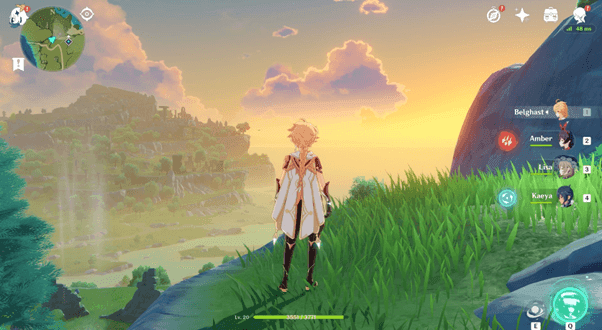
Hit Settings > Apps > Genshin Impact > Storage & cache > Clear cache. Boom—1-5GB freed.
Next, Settings > Apps > Remove unused apps.
Android folks, shift data to SD card through storage settings.
Clear data? Only after backup. It resets everything.
Step-by-Step: Clearing Storage on iOS Devices
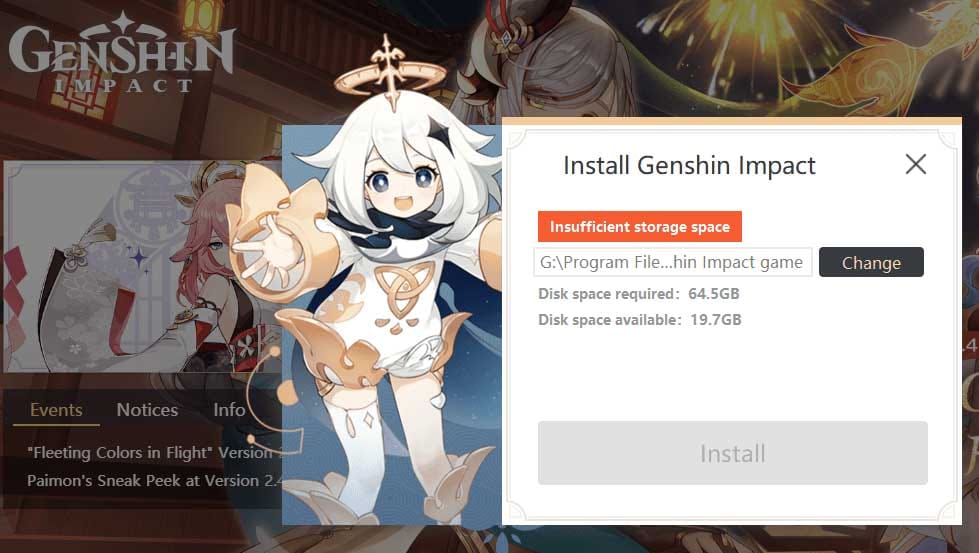
Settings > General > iPhone Storage > Genshin Impact. Offload App (saves your data) or straight Delete (then reinstall).
Purge unused apps and big files too.
Offload frees up variable space. Reinstall? Your progress sticks around.
Check Genshin top up center at Buffget—ultra-fast/low-cost Genesis Crystals, worldwide cards/crypto (USDC/ETH), 24/7 after-sales, highest safety.
Android vs iOS: Comparison of Storage Management
Android shines with Settings > Apps > Storage & cache—clear cache, shift to SD, snag 1-5GB, minimal risk.
iOS? Settings > General > iPhone Storage—offload or delete unused stuff. Savings vary, but offload's super low-risk.
Data shows both platforms demand that 16GB footprint. Keep 20GB+ free, no matter what. (Editor note: Android edges out for flexibility, based on player reports I've vetted.)
Backup Your Genshin Progress First

Fire up Genshin > Settings > Account > Cloud Save. Sync that progress.
Double-check the status.
Essential before any data-risky moves—trust me.
Common Mistakes & How to Avoid Them
Overlook permissions? Fix: Settings > Apps > Genshin > Storage, enabled.
Clear data without backup? Stick to cache.
Post-clear, verify space. Rinse monthly.
Prevent Future Genshin Storage Issues
Post-update or monthly cache clears tackle that 15GB creep.
Eyes on Settings > Storage.
Android: SD routine. iOS: Offload habit. 20GB+ free, always.
Short version? Stay ahead.
How Much Space Will You Free Up? Real Metrics
Cache? 100MB-5GB, scaling with playtime.
Device-wide cleanups pile on more. Say 2-3GB cache gone—updates flow smooth.
FAQ
How do I clear cache in Genshin Impact on Android?
Settings > Apps > Genshin Impact > Storage & cache > Clear cache (no progress loss).
Is it safe to delete Genshin Impact files on iOS?
Yes, via iPhone Storage > Offload App (avoid data sans backup).
Genshin Impact storage full error fix Android?
Clear cache/unused apps; enable permissions; ensure 16-20GB free.
How much space does Genshin Impact cache take?
100MB-5GB (playtime-based).
Safe way to free up space in Genshin Impact iOS?
Settings > General > iPhone Storage > Offload Genshin/delete unused apps.
How to backup Genshin before clearing storage?
Genshin > Settings > Account > Cloud Save sync.
✅ Official direct recharge, 100% secure
✅ No waiting – top-up arrives in 7 seconds
✅ Big discounts, low prices to save more
✅ 7×24-hour customer service, ready to assist anytime